
DOGE Miner by NVS
NVS connectedFinance
2.610.00 Reviews
- Version
- 1.0.14
- Installs
- 10.00K
- Age Rating
- Everyone
Screenshots
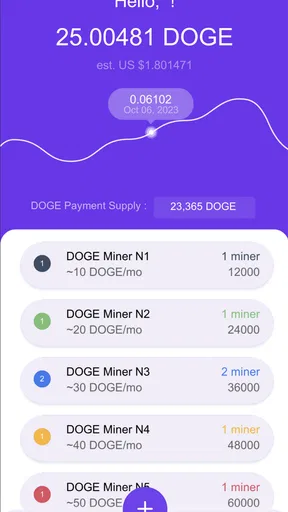
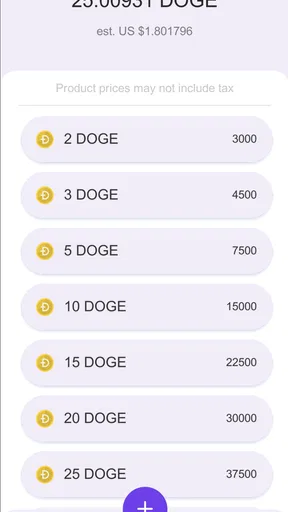
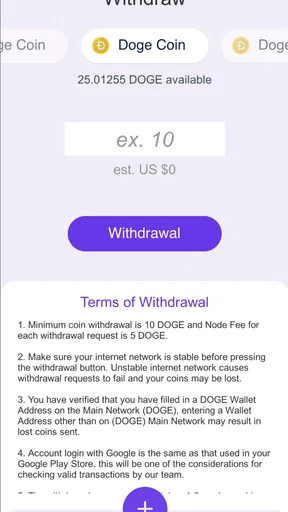
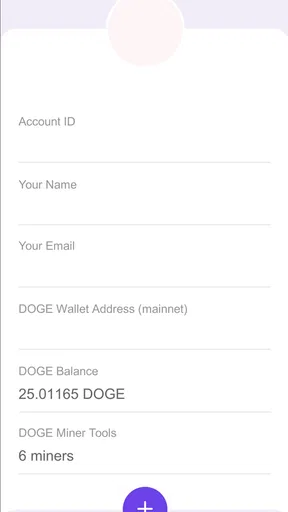
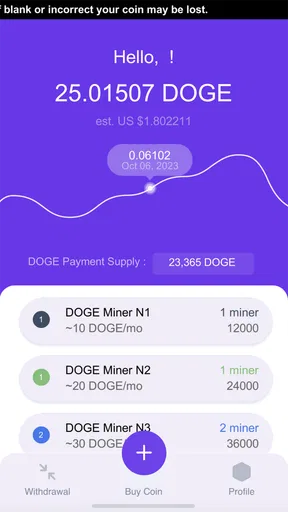
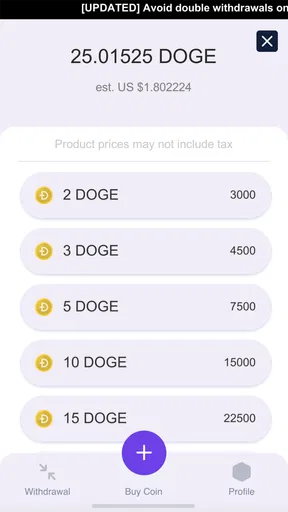
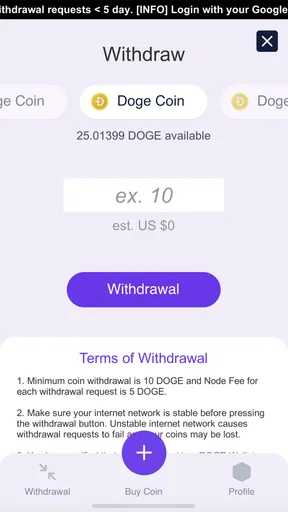
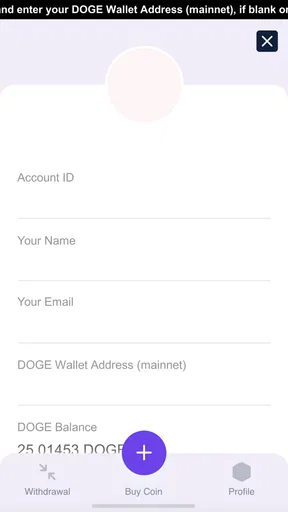
Our Review of DOGE Miner by NVS
 Analysis by Appyee
I spent time with DOGE Miner as a small finance app built around cloud-based DOGE generation, and my first impression was that its appeal is easy to understand: it presents cryptocurrency mining as something you can try from a phone instead of setting up specialist hardware. That makes it approachable for curiosity-driven users, especially people who want to explore Dogecoin without buying equipment. At the same time, the experience needs to be judged carefully. A simple interface can make an idea feel effortless even when the practical value and payment-related details deserve close attention.
The app comes from NVS connected and is free to install, with optional in-app purchases ranging from $1.49 to $31.99 per item. It is listed for Everyone and works from Android 7.1 onward, so the technical entry point is relatively broad. Its current version is 1.0.14, and the app was released on October 6, 2023. Those details matter because this is not a desktop mining program transplanted onto a phone; it is a lightweight mobile tool aimed at people who want a more convenient, less technical way to interact with DOGE.
My overall reaction is mixed but useful: I can see why someone would install it for experimentation, yet I would not treat it as a replacement for a reputable exchange, a personal wallet, or a serious mining setup. The strongest question is not whether the app is easy to open. It is whether the information presented during use is clear enough for a person to understand what they are earning, what optional spending changes, and what steps are required before any DOGE becomes genuinely useful.
How the app feels to read and navigate
When I look at how the app feels to read and navigate, I focus on whether its DOGE-related figures and actions are easy to tell apart, not just whether the screens seem simple at first glance. A deliberate check-in can make the experience easier to follow, especially if you adjust your phone’s display settings to suit your needs. That leads naturally to a closer look at access beyond visual readability.
A simple concept with an important clarity test
The central idea is uncomplicated. You use mobile cloud-miner tools connected with DOGE rather than operating a physical mining rig. That should make the app understandable to a newcomer, and I found that the concept does not require knowledge of graphics cards, mining pools, cooling, or electricity costs. This is a meaningful advantage for someone who wants to learn the vocabulary of crypto mining without first building a technical workstation.
However, simplicity in a finance app is not only about having fewer controls. It is also about making every number and status easy to interpret. A user should be able to distinguish between an activity indicator, a projected amount, an accumulated balance, and funds that are actually available to withdraw or transfer. When I assess an app like this, I look for that separation because a large-looking figure can be misleading if it is not immediately clear what it represents.
For first-time users, I would recommend opening every information panel and reading the wording before tapping any upgrade or purchase control. This is one of the most practical habits with DOGE Miner: do not assume that a faster-looking mining state automatically means a better financial result. First understand what the app says the action changes, whether the effect is temporary or continuing, and whether the displayed amount is an estimate rather than a guaranteed return.
Readable for casual use, less comfortable for close checking
The app’s mobile focus is helpful when I want to check progress briefly rather than sit at a computer. A person with average vision and a modern phone should find the basic idea approachable. Still, finance-related figures need more than casual readability. Small decimal values, changing counters, labels around buttons, and explanatory text can all become difficult when viewed quickly or under poor lighting.
I would use the phone’s system text-size and display settings before deciding whether the interface works for me. Enlarging text can improve comfort, but it may also cause labels to wrap or controls to become less convenient. That trade-off is especially relevant for users who rely on larger text: a screen that looks neat at the default size may become harder to scan when accessibility settings are adjusted.
My preferred workflow is to check the main balance only after pausing for a moment, then read the surrounding labels rather than reacting to the most prominent number. This reduces the chance of confusing a mining rate with an accumulated balance. It also makes the app less stressful for users who need extra time to process changing information.
Navigation habits that make the experience safer
I would keep DOGE Miner in a separate folder from banking and exchange apps. That is not because the app is necessarily unsafe; it is simply a sensible way to avoid opening the wrong financial tool when moving quickly. I would also avoid tapping purchase prompts while distracted, on public transport, or when handing the phone to someone else.
Another useful habit is to take a note of the balance and the wording around it before changing settings or buying anything. A screenshot can help with personal record-keeping, but it should not be treated as proof of a completed transfer. If the app offers a route toward using earned DOGE elsewhere, I would verify each step carefully and avoid entering wallet details until I understood exactly which field requested an address, a network, or another identifier.
This matters for inclusive use because people who navigate slowly, use magnification, or depend on screen-reading tools have less room for ambiguous controls. A clear pause-and-check routine benefits everyone, but it is particularly valuable when the interface does not make every financial consequence obvious at a glance.
What the modest public response suggests
DOGE Miner has passed ten thousand installs, while its average rating is 2.6 from roughly two hundred ratings. I do not read that rating as a complete verdict, but I do treat it as a reason to be cautious. It suggests that the easy premise has not translated into a uniformly satisfying experience for the people who tried it.
The public review count is small enough that individual experiences may strongly influence the overall picture. Even so, I would not ignore the signal. Before spending money inside the app, I would use the free path first, inspect how the balance is presented, and decide whether the information is clear enough for my own needs. If the basic experience already feels confusing, paying for an enhanced option is unlikely to solve the underlying communication problem.
Motor, sensory, and situational access
I also consider how motor, sensory, and situational needs can affect careful use of a finance app. A steady phone position, a quiet moment, and time to review each action can make a meaningful difference when figures or controls need close attention. With those everyday conditions in mind, it is worth considering which users are most likely to find the mobile format workable.
Good fit for short, low-effort checks
The mobile format can suit people who cannot comfortably manage a desktop mining setup. There is no need to assemble hardware, handle cables, or maintain a machine just to explore the concept. For a user with limited dexterity, that may remove a meaningful physical barrier. The phone can be held in one hand or placed on a stand, and short sessions may be easier than extended computer use.
That benefit depends on how much tapping the app expects. Repeatedly pressing small controls, switching between screens, or confirming actions can be tiring for someone with tremors, joint pain, reduced reach, or one-handed use. I would test the app while using the phone in the person’s normal position rather than assuming that a few minutes of comfortable use will remain comfortable over a longer session.
A practical workaround is to place the phone on a stable surface and use the dominant hand only for deliberate taps. I would also avoid operating the app while walking or carrying something. This is not just a convenience issue: a finance app rewards careful input, and reduced hand stability increases the chance of selecting a purchase or navigation control accidentally.
Visual and sensory load deserves attention
Crypto dashboards often rely on changing figures to communicate activity. That can be visually demanding for people who are sensitive to motion, flashing updates, dense screens, or frequent visual changes. I would keep sessions short and lower the phone’s brightness if the display feels harsh, while making sure the text remains readable. If the app’s visual presentation becomes tiring, checking less often is better than forcing continuous monitoring.
Users with limited vision should not assume that a magnifier or screen reader will interpret every financial label perfectly. The most important test is whether the balance, mining status, and action controls are announced in a meaningful order. If those elements are not distinguishable with the user’s preferred assistive setup, I would not rely on the app for decisions involving money.
People who are deaf or hard of hearing may find a finance tool easier to use if its essential information is visible rather than dependent on sound. I would still check whether any important warning, confirmation, or change is presented visually. If a message appears only briefly, someone who reads more slowly may miss it, so taking time to review each screen is worthwhile.
Use in everyday situations
Imagine checking the app during a lunch break. I would open it, review the displayed balance, read any status message, and close it without making a purchase. That is a reasonable use case for a casual experiment. The app’s mobile nature is more convenient here than running a desktop tool, and the short session avoids turning a speculative activity into a constant distraction.
The same scenario becomes less suitable if the user is in a noisy café, on a moving bus, or switching between several tasks. A small screen, glare, unstable hand position, and divided attention make financial confirmation less reliable. I would postpone account changes, wallet entries, and in-app purchases until I was somewhere quiet with enough time to read everything.
For users with cognitive disabilities or anyone who finds rapidly changing financial information overwhelming, a written routine can help: open the app, check the date of the last personal note, read the current status, record the balance, and exit. The point is not to create a complicated system. It is to prevent impulsive actions and make changes easier to notice.
Where the app differs from usual alternatives
The most obvious alternative is a cryptocurrency exchange. An exchange is generally designed for buying, selling, and tracking market prices, while DOGE Miner is centered on generating DOGE through cloud-miner tools. If my goal is simply to obtain a known amount of Dogecoin, an exchange may be more direct, although it brings its own account, identity, fee, and market risks.
A personal wallet serves a different purpose again. It is where I would focus on holding and managing assets, not on the mining activity itself. A hardware mining setup is another category entirely: it can offer more technical control, but it requires equipment, electricity, maintenance, and knowledge that this phone app avoids.
The useful distinction is that DOGE Miner is an exploratory mobile experience, not a universal replacement for those tools. I would choose it when convenience and curiosity matter most. I would choose an exchange when I need a straightforward purchase, a wallet when custody is the priority, and actual mining hardware only when I am prepared for the technical and operating demands.
Costs, expectations, and the most important trade-off
The free installation lowers the barrier to trying the app, but optional purchases change the decision. Items cost between $1.49 and $31.99, so I would treat every purchase as spending on an app feature rather than as an investment with a promised return. The crucial trade-off is convenience versus uncertainty: paying may make the experience feel more active, but it does not remove the need to understand the balance, withdrawal process, or real-world value of what is displayed.
I would set a strict personal limit before opening the purchase screen and never increase it because a counter appears slow. If the free experience does not provide enough clarity to explain what I would receive for an optional item, I would stop there. This is especially important for younger users, even though the content rating is Everyone. An Everyone rating does not turn speculative digital currency activity into a guaranteed or risk-free product.
Remaining barriers before I could recommend it widely
My largest reservation is not the mining theme itself; it is the need for unusually clear communication around money. A person deciding whether to use the app should be able to answer several questions from the interface: what exactly is being generated, how is the amount calculated or displayed, what can be done with the balance, and which actions cost money? If those answers require guesswork, the app becomes difficult to recommend to beginners.
There is also a difference between technical accessibility and practical accessibility. Supporting an older Android release helps more devices run the app, but it does not guarantee comfortable text, predictable focus order, understandable alerts, or easy operation with assistive features. I would judge those details during actual use, particularly if the app is intended for someone who depends on larger text, voice access, switch control, or a screen reader.
Another barrier is the mental model. “Mining” can sound like passive income, while cloud-based mobile tools may work very differently from physical mining. The app would be easier for a broad audience if it consistently explained the difference between activity inside the application and DOGE that can be independently used. Until I am satisfied that the distinction is clear, I would describe it to friends as a learning experiment rather than an earning plan.
For someone who needs strong transaction records, detailed controls, or a mature financial interface, I would look elsewhere. A dedicated wallet or established exchange is likely to be a better fit for managing real holdings. Someone who wants to learn how mining works at a technical level should also consider educational material or a transparent desktop tool instead of assuming that a simplified phone experience teaches the complete process.
Who should try it, and who should skip it
I can imagine recommending DOGE Miner to a patient beginner who is curious about Dogecoin, understands that digital currency is speculative, and is willing to use the free experience before considering any purchase. It may also suit someone who wants a low-effort mobile introduction rather than hardware maintenance. In those cases, the app’s narrow focus is a benefit because it avoids burying the user in advanced equipment settings.
I would not recommend it to someone seeking dependable income, guaranteed returns, or a substitute for secure asset custody. I would also steer away users who find changing counters and unclear financial labels stressful, or anyone who cannot comfortably verify what a purchase or transfer action will do. For a child or a person who needs supervision with money, the Everyone rating should not be treated as permission to use the app without guidance.
My most useful tip is to create a personal stopping rule: use it for observation, record what the balance means, and do not pay until the complete workflow makes sense. A second is to compare the time and cost of the app with the actual amount of DOGE you want. A third is to test it under your real accessibility setup before committing—larger text, voice control, magnification, or a screen reader—because an app that works at default settings may not work equally well for everyone.
My inclusive verdict
DOGE Miner makes an interesting idea approachable by placing DOGE-focused cloud-miner tools on a phone. I like that it avoids the physical and technical burden of running mining hardware, and the free entry gives curious users a way to inspect the experience before spending anything. Its broad Android compatibility and Everyone content rating also make it easy to encounter.
Still, accessibility here should mean more than being available on a mobile device. The app needs to be judged by how comfortably different people can read its figures, control its screens, understand its status messages, and avoid accidental spending. The modest average rating of 2.6 is a warning to keep expectations measured, not a reason to dismiss the app automatically.
My recommendation is to treat it as a cautious learning tool, not a financial shortcut. I would try the free version, use it in a quiet setting, enlarge the interface if needed, and write down what each balance or action means before making decisions. If I wanted reliable trading, long-term custody, or technical mining control, I would choose a more specialized alternative. For a curious user who values convenience and accepts the uncertainty, it may be worth exploring—but only with clear limits and careful attention to the information on screen.
In short, the app’s inclusive potential comes from reducing hardware demands, while its remaining weakness is the responsibility placed on the user to interpret a financial activity correctly. That makes DOGE Miner a niche recommendation: approachable enough for experimentation, but not transparent or comprehensive enough for me to make it my main cryptocurrency tool.
Verdict
Strengths of DOGE Miner by NVS
- Simple gameplay that is easy to understand from the first session.
- Idle mining lets progress continue with minimal active input.
- Dogecoin-themed visuals give the game a distinctive identity.
- Short play sessions make it suitable for casual mobile gaming.
- Upgrade mechanics provide clear goals and a steady sense of progress.
Limitations of DOGE Miner by NVS
- Progress can feel repetitive once the basic mining loop becomes familiar.
- Frequent ads may interrupt play or encourage optional ad viewing.
- Earnings are virtual and cannot be withdrawn as real Dogecoin.
- The game may offer limited depth for players seeking strategic gameplay.
- Performance and battery use may vary during longer idle sessions.
Similar Picks in This Category
View All
Google Wallet
Google LLC4.3

Airtel: Recharge, Bank & Loans
Airtel4.0

PayPal - Pay, Send, Save
PayPal Mobile4.2

DANA Indonesia Digital Wallet
PT Espay Debit Indonesia Koe4.5

Binance: Buy Bitcoin & Crypto
Binance Inc.4.8

Cash App
Block, Inc.4.7
Frequently Asked Questions
What is DOGE Miner by NVS, and how does the game work?
DOGE Miner by NVS is an idle-style cryptocurrency-themed game built around collecting Dogecoin through virtual mining. After starting a mining operation, you can usually earn in-game coins over time, upgrade equipment, and improve your production rate. The experience is designed for casual play, with progress continuing through repeated sessions rather than requiring constant attention. It should be treated as entertainment, not as real cryptocurrency mining or an investment tool.
Can DOGE Miner by NVS generate real Dogecoin or real money?
No. The Dogecoin displayed in DOGE Miner by NVS is part of the game’s virtual economy and should not be confused with real DOGE stored in a cryptocurrency wallet. Progress, balances, upgrades, and rewards are intended for gameplay purposes only. The app does not turn your phone into a genuine cryptocurrency miner, and users should be cautious of any claims suggesting guaranteed cash payouts, investment returns, or withdrawals of real digital currency.
Does DOGE Miner by NVS require an internet connection?
The connection requirements may depend on the version of the app and the features being used. Basic gameplay may work during some offline periods, but online access can be necessary for advertisements, synchronization, updates, reward systems, analytics, or other connected services. If progress is important to you, it is safer to open the game online occasionally so that saved data can synchronize properly and avoid relying entirely on offline progress.
Are there advertisements or in-app purchases in DOGE Miner by NVS?
DOGE Miner by NVS may include advertising or optional purchases, as these are common ways for free mobile games to support development. Advertisements can potentially appear between activities or in exchange for bonuses, while purchases may offer convenience, upgrades, or the removal of certain limitations. Before downloading, review the current Google Play or App Store listing for exact pricing and availability, and use device purchase protections if children may access the app.
Is DOGE Miner by NVS safe to download and suitable for children?
Download DOGE Miner by NVS only from an official store listing and check the displayed developer name, permissions, age rating, privacy information, and recent user reviews before installing. The game’s cryptocurrency theme may make it seem educational or financially related, but it is primarily entertainment. Parents should explain that virtual coins have no guaranteed real-world value and should supervise advertisements, external links, purchases, and any data the app may request.
